
Inspection
QC: what the photos catch, and what they miss
Every item is inspected and photographed before it ships to you. Here is what that inspection actually covers, using Lolobuy's own documented examples.
What you're actually promised
Two photo counts, one real promise underneath
Every purchased item goes through Lolobuy's free, permanent standard inspection before it is shelved. One help article promises 5 photos by default plus 3 for international parcels, all free on request if you want more; a different article instead gives a range of ‘3 to 6’. A separate, paid fine photo service exists too, priced at roughly CNY 1.50 per photo up to five — which suggests the free tier may be a standard angle set and the paid tier a closer pass, though Lolobuy's own text never states that distinction outright.
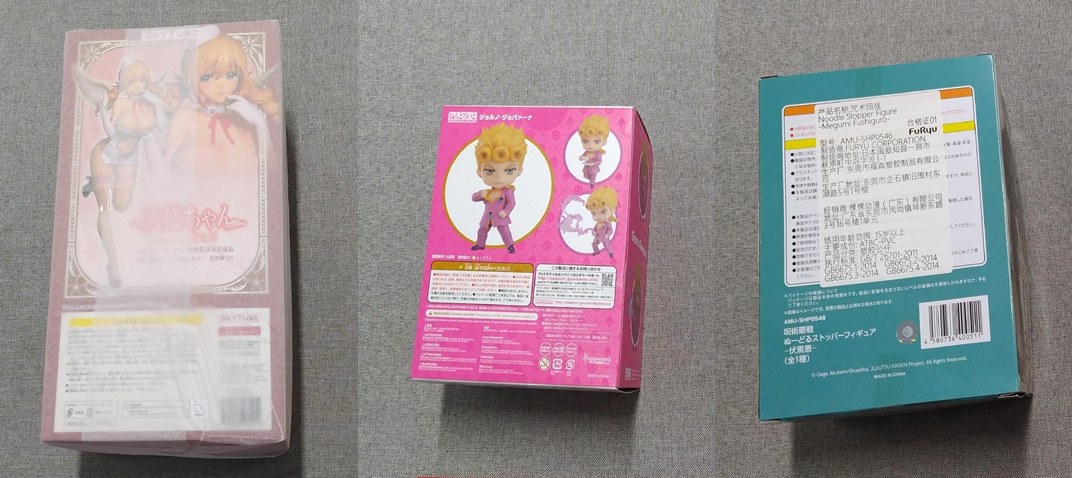
A “secondary inspection” service is also available for goods already sitting in storage, if you want a second look before deciding whether to request a return.
What a mismatch actually looks like
Four real cases from Lolobuy's own rules
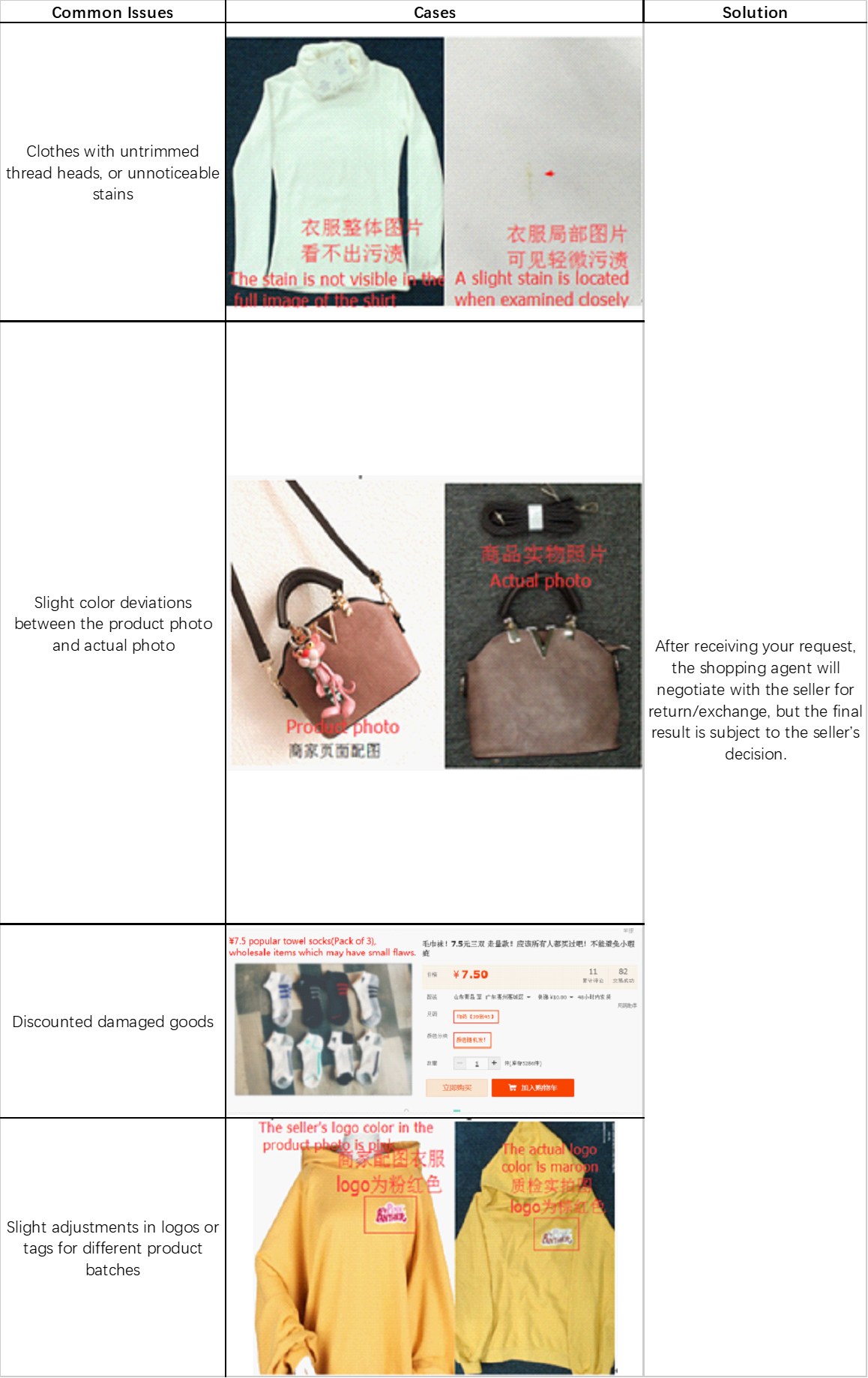
Lolobuy's own help centre documents the kinds of mismatch QC photos are meant to catch, with real seller-submitted examples: untrimmed thread or a stain too faint to see in a full-garment shot but visible up close; colour differences between a listing photo and the item that actually arrived; a listing's small print disclosing the item is discounted because it may have minor flaws; and logo colour differing between a seller's own product photo and a close-up inspection shot. In every one of these cases Lolobuy's stated resolution path is the same: it negotiates with the seller on your behalf, but the final outcome depends on the seller's decision — not a guaranteed Lolobuy refund.
Using the photos
Reading the set carefully before approving the item
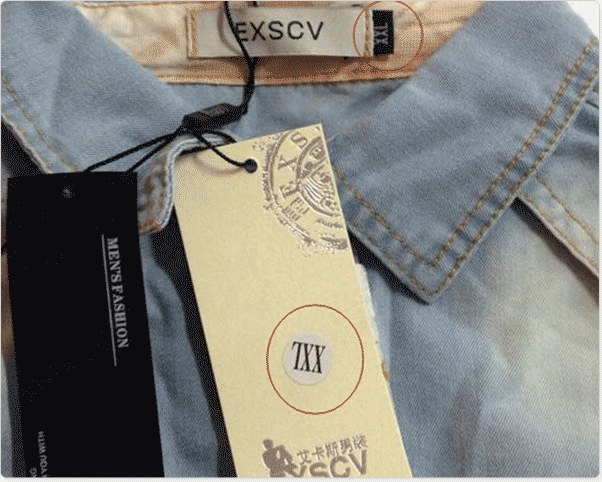
A short QC checklist: how to read a QC photo yourself
- Compare the full-garment shot against the close-up shot — Lolobuy's own examples show stains that are invisible from a distance.
- Check tag and logo colour against the original listing photo, not just the shape or text.
- If a listing's fine print mentions discounted or flawed stock, treat the QC photos as confirming that condition, not disputing it.
If the photos show a real problem
File a return or exchange request against the Stored status as soon as you see it — see the Lexicon's return/exchange window entry for the two different timeframes Lolobuy's own pages give, and check your own order's status page for which one applies.